4. Initiating Scans
-
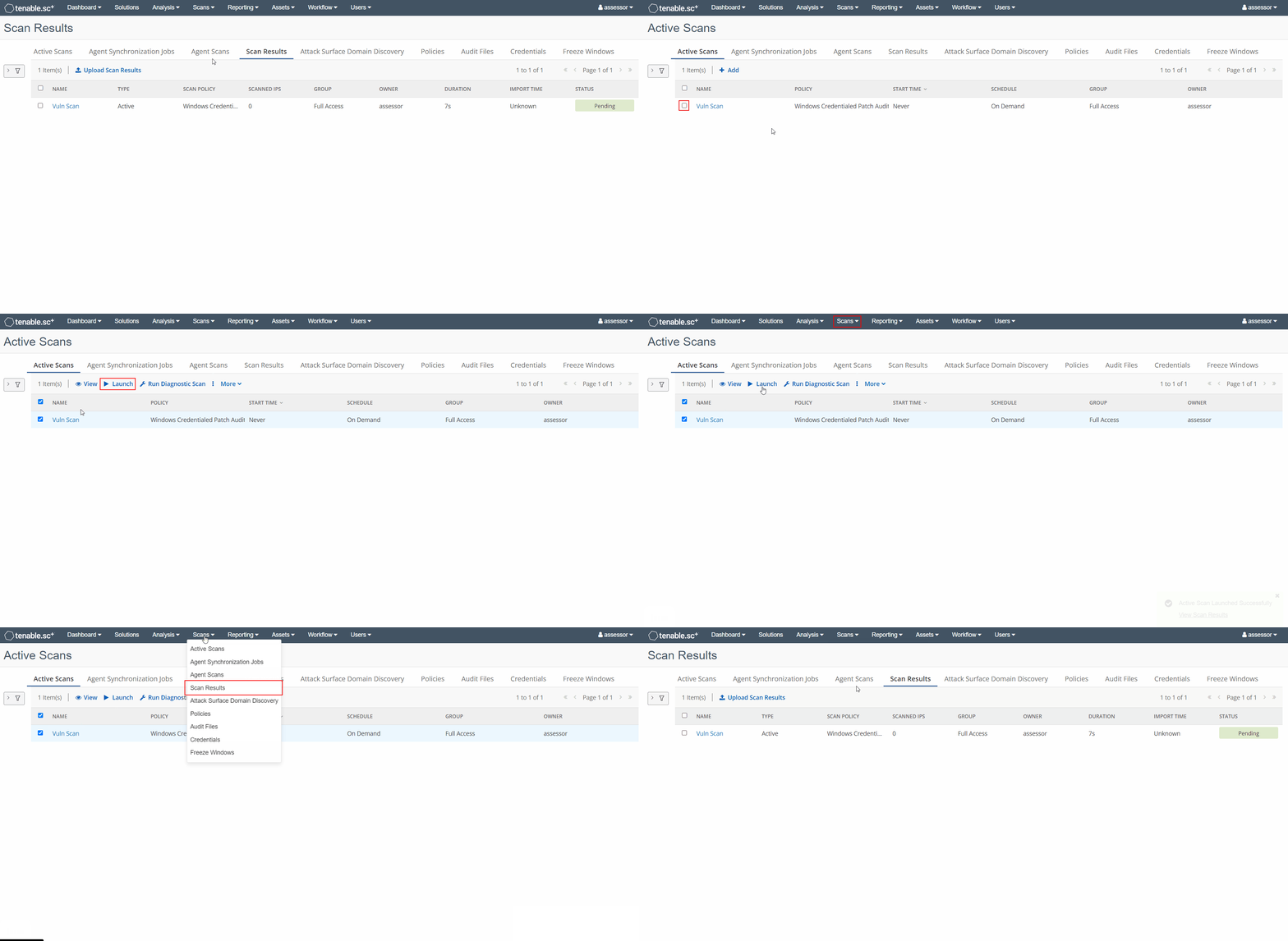
From the top menu bar navigate to
Scans -> Active Scans -
Select the active scan template you wish to execute, and press the
⯈ Launchbutton -
From the top menu dashboard navigate to
Scans -> Scan Resultsto monitor the status of the scan
-
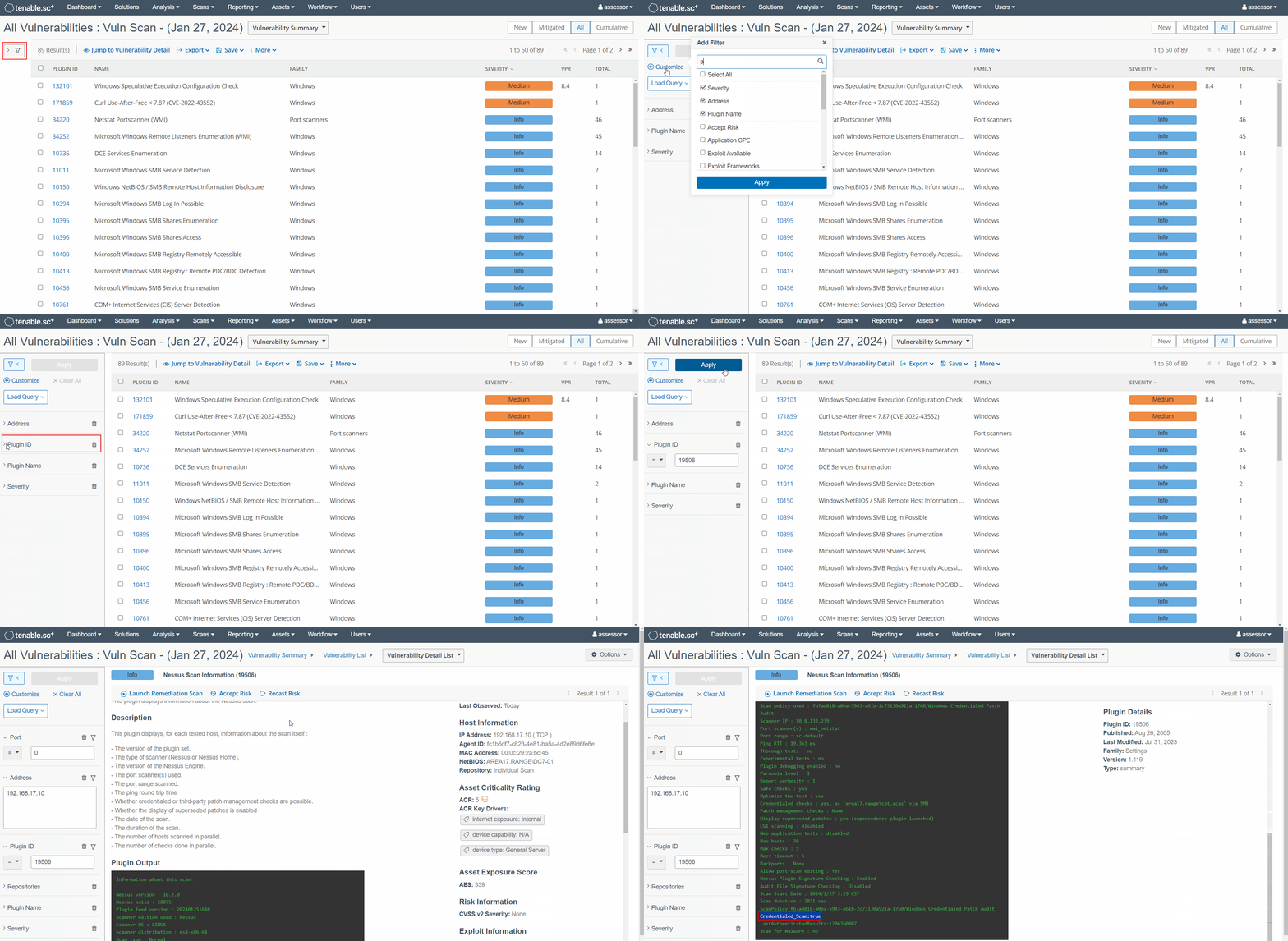
When the scan is complete, click on the scan to be taken to the default Vulnerability Summary view:
a) Expand the Filters panel on the left and add the Plugin ID filter via the +Customize button
b) Filter for
Plugin ID 19506to view the list of hosts that ACAS was able to scantipIf a credentialed scan was performed and you want to verify that it was successful, click on a result and verify
Credentialed_Scan:true- any othe routput may indicate issues with attempting to connect or authenticate with the target.